- HSM
- Shredding
- Other
- Information about data protection
- Legal
- Data Protection Mobile Working
Mobile working: Challenge for data protection
Working from home has been becoming ever more popular for a long time now. Due to the persistent Covid-19 pandemic, many companies have had to make sudden changes and employers have been forced to rethink their work models. Working in a home office has suddenly become the norm within many companies.
Home office, mobile working, teleworking, mobile teleworking - the terminology within this concept is becoming more and more diverse and can lead to confusion. There are always challenges with regards to data protection: Mobile working, etc. are no longer only being performed at a relatively secure workplace within the company.
In the following, you will find out about the most important differences between the terms and the effects the new working formats have on data protection.

Mobile working vs. home office, mobile working vs. teleworking: What are the differences?
The terms mobile working, home office and teleworking are frequently used synonymously. However, that is not entirely correct. There are some differences that should be considered.
Home office
Home office means that you are temporarily working from home. This type of working from home has been introduced by many companies as a result of the Covid-19 pandemic. Employees can, where required, work from home. However, they likewise have a workplace within the company from which they could perform their work. Here you can find out more about Adhering to the General Data Protection Regulation (GDPR) and data protection in the home office.
Teleworking
Teleworking is in part synonymous to working in the home office. However, this should be differentiated. Teleworking describes a work model in which someone exclusively works from home. The employee does not have a fixed workplace within the company.
Mobile working
This working format has particular advantages for companies that deal a lot with overseas partners. Mobile working can be performed from a preferred site that the employee can decide upon independently. This can be in the office, at home or even abroad. A prerequisite for this model is the provision of mobile end devices, such as laptops, tablets and smartphones, by the employer.

Advantages and disadvantages of mobile working
As already mentioned, there are particular differences among the different work models. Home office and mobile working can both be performed from home. Home office is, however, not customisable as mobile working. Home office, as the name suggests, is at home. The employee who is mobile working is more independent. Abroad, on domestic trips, from home and classically in the office: the employee is extremely flexible within this work model.
Advantages for the employee and employer
Mobile working is not only practical for the employee who must travel for work. All employees, even the employer, benefit from the freedom of mobile working.
The benefits can be:
- saving travel to the office and, as a result, accompanying stress reduction
- higher level of motivation and productivity from employee due to the new freedoms, e.g. working is also possible on trips
- improvement to teamwork due to more communication and relaxed working atmosphere
- improved work-life balance due to less travel time to and from the workplace and the option to work from anywhere
Challenges and disadvantages
Data security in the home office can be difficult to prove. There is an even higher risk of data protection with mobile working. Legal bases or clear guidelines and regulations are not yet available for this work model.
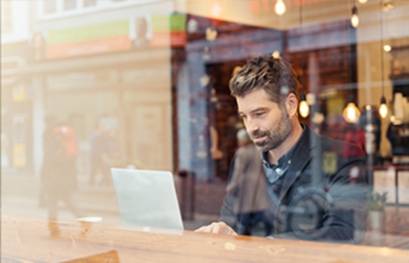
Whilst there is a risk with teleworking or a home office that unauthorised individuals from within the employee’s household have access to the data, this risk is even higher for mobile working. It is barely possible to monitor on the train, at the airport or in a café who is unintentionally looking at sensitive data or who can listen to confidential conversations.
With the decision as to which activities can be performed in mobile working, the employer must weigh it up carefully. If it should lead to data loss or unauthorised data usage, the employer is fundamentally liable.
Imperative: data protection in the home office, office and on-the-go
Data protection is a complex matter for every company. Constant changes and updates can quickly cause confusion. A clear summary of the applicable guidelines is provided by the GDPR (General Data Protection Regulation). But just what exactly should data be protected against?
- Processing personal data must not present any risk to the personal rights of the person whose data is being processed.
- The risk of data abuse or inadmissible interference by a third party must be minimised.
- Special provisions also apply for data particularly worthy of protection. Included herein are employee data and social data, for example about ethnicity and religious belief, as well as information regarding health, etc.
Safely manage data with mobile working
To prevent the loss of data, there are several options. Firstly, employees should only have access to data that is absolutely necessary for their work. Secondly, they should be regularly advised about the risks of data loss and the necessary precautionary measures by way of data protection training.
Even if there are no specific legal provisions that apply when working from home or on-the-go, there are still some guidelines that apply to the handling of business information, depending on whether they are in electronic format on servers or on data carriers or in paper format.
Rules for handling electronic data
When working with data that is exclusively in electronic format, the following must be considered when outside of the office:
- Transmission of data is performed via IT facilities and encrypted electronic communication methods.
- A VPN (virtual private network) is used when using public internet access (via WLAN).
- Private devices must not be used for work.
- Laptops and mobile phones are equipped with privacy films. Telephone calls are as protected as possible; best practice is to use headphones.
Home office or mobile working: storage and disposal of data carriers and documents
If an employer deals with paper format or data carriers for data in mobile working, this necessitates particular precautionary measures.
- Generally, the transportation of documents must, where possible, be avoided.
- If it cannot be avoided, the data carrier and documents must be transported in locked folders and containers.
- Documents and data carriers must not be left unattended.
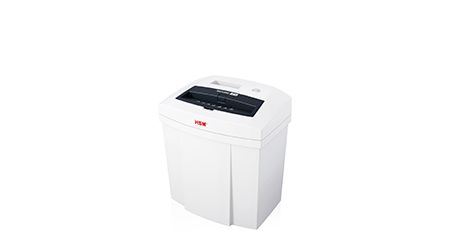
- When disposing of this media, it must be immediately shredded. Document and media shredders by HSM can support you in this.
Data protection with products by HSM
Employers are obligated to guarantee the measured, organisational and technical measures when handling data. Data carriers and documents that are used within a company must never end up in household waste or in waste paper. They must be conscientiously destroyed and then disposed to protect the data contained.
The qualitative, high-quality media shredders by HSM are manufactured in Germany and prevent discarded hard disks, digital data carriers and other storage media from ending up in the wrong hands.
Even files in paper format are thoroughly shredded with our document shredders and can then be properly disposed of. It is only like this that it is possible to prevent unauthorised access by third parties, illegal insight into trade secrets and data theft.

 20 l
20 l
 160 W
160 W


